
Phone Location Tracker-Locator
Byte JourneyMaps & Navigation
0.00.00 Reviews
- Version
- 1.2.60
- Installs
- 50.00K
- Age Rating
- Everyone
Screenshots
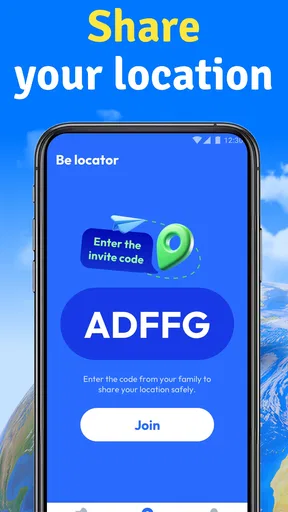
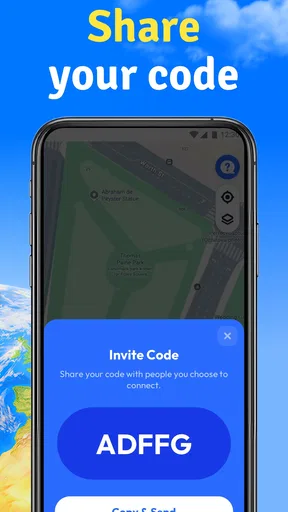
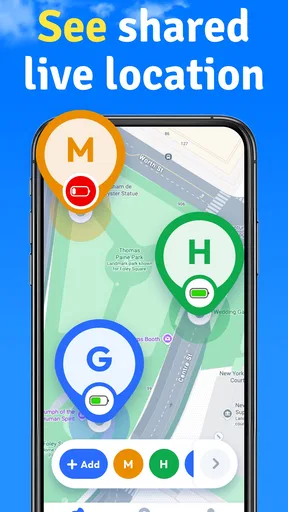
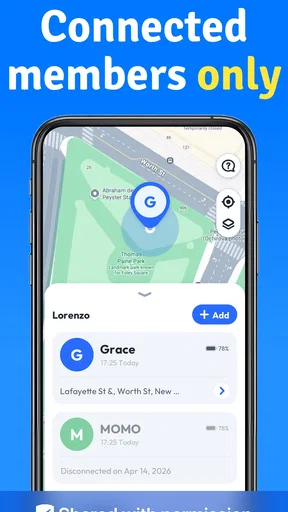
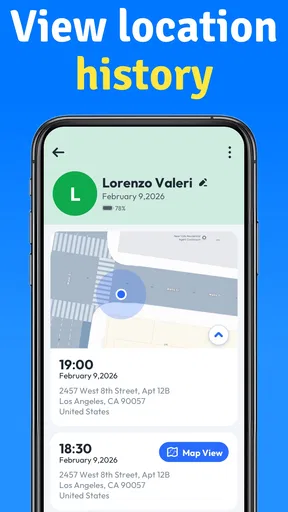
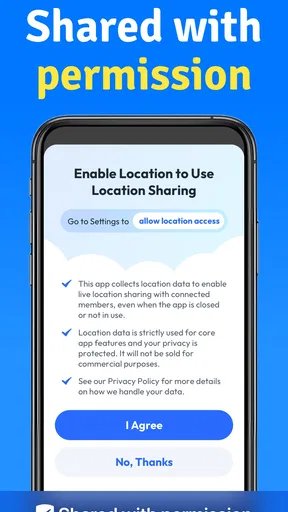
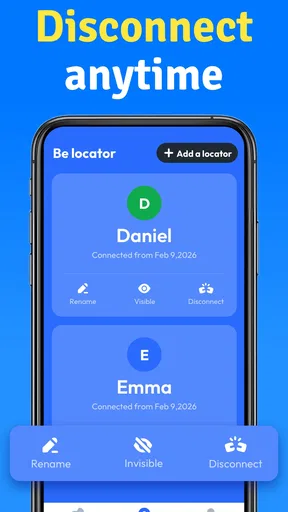
Our Review of Phone Location Tracker-Locator
 Analysis by Appyee
Keeping track of family members from a phone sounds simple until you need it in a real situation: a child is walking home, someone is late meeting you, or you want a quick way to stay connected without sending repeated “where are you?” messages. Phone Location Tracker-Locator approaches that need as a family-focused location app, with consent at the center rather than treating tracking as something that should happen secretly. I spent time looking at how it fits into an everyday routine, and my overall impression is that it works best when everyone understands the arrangement and uses it consistently.
Created by Byte Journey, this free Maps & Navigation app is aimed at families who want a straightforward way to share location information. Its store summary focuses on staying connected with kids with consent, while the shorter description presents it as a phone location tracker. Those two ideas are important together: the app is not merely about displaying a map, but about creating a shared habit that should feel clear and agreed upon for the people involved.
The app has passed 50K installs, which gives it a modest but meaningful presence among family locator tools. It is rated for Everyone, runs on Android 7.0 and later, and the current version is 1.2.60. There are optional in-app purchases ranging from $3.99 to $12.99 per item, so the free starting point is useful for trying the basic experience, but I would still check exactly which functions are included before building your whole family routine around it.
How the everyday location workflow feels
The most sensible way to use Phone Location Tracker-Locator is to begin with a small, clearly defined group. Rather than adding every relative immediately, I would start with the people who genuinely need to coordinate: a parent and child, partners sharing commutes, or family members managing an older relative’s travel. A smaller circle makes the map easier to understand and reduces the chance that location sharing becomes background noise.
Consent should be treated as the first setup step, not as an afterthought. Before relying on the app, explain who will be able to see the location, when sharing is expected, and what the arrangement is for. That conversation matters especially with children. A location tool can make a walk home easier to coordinate, but it should not replace a child’s understanding of boundaries or a parent’s normal check-in habits.
In a typical afternoon scenario, I would use the app before a child leaves school or an activity. The parent can check the shared location during the journey instead of sending several messages, while the child can focus on getting home. If the route changes, a normal call or message is still the right choice. The tracker is useful for orientation and reassurance; it is not a substitute for direct communication when something feels wrong.
That distinction is one of the app’s practical strengths. It can reduce unnecessary interruptions during ordinary travel, but it does not pretend that a dot on a map explains everything. A stationary location might mean someone is waiting, has entered a building, has stopped for a friend, or has a phone that is no longer updating. I would always treat the displayed position as helpful context rather than absolute proof of someone’s situation.
For families, repeatability matters more than occasional checking. Agreeing on a simple routine—such as opening the app when someone starts a journey and checking it at a reasonable point—makes the tool less intrusive. Constantly refreshing the map can create anxiety and does not necessarily provide better information. The best experience comes from using it as a calm coordination layer.
Start with a clear sharing agreement
My first recommendation is to decide the purpose before exploring every available option. Is the goal to coordinate school travel, keep track of a shared outing, or make it easier to know when someone is close to home? Each purpose suggests a different checking rhythm. If you do not define that rhythm, the app can turn into a source of repeated monitoring rather than a convenience.
I would also make sure every person knows how to stop or change sharing through the normal controls available on their device and account. Even when a family agrees to use a locator, circumstances change. A child may hand a phone to a parent, someone may switch devices, or a family trip may end. A healthy setup includes a way to pause the arrangement without confusion.
The most useful habit is to agree on when the map matters before anyone starts checking it. That simple rule prevents the common mistake of treating every delay as an emergency. It also keeps the app aligned with its strongest use case: staying connected during ordinary movement.
What I would check before relying on it
Phone Location Tracker-Locator is an Android app, so device compatibility is an easy first checkpoint. It supports Android 7.0 and newer, which covers a broad range of phones, but families often use different devices with different battery conditions and system settings. I would test the arrangement on every phone involved rather than assuming that one successful installation means the whole group is ready.
The next step is to look through the app’s available location and account settings with each person present. The exact choices that matter will depend on the device, but the practical questions are consistent: who can see whom, when sharing is active, and what happens if a phone is offline or its battery is low. These are not details to discover for the first time during a stressful journey.
Battery behavior deserves particular attention. Any location-based app depends on the phone being powered, connected, and allowed to perform its work. If a child leaves home with a nearly empty battery, a locator cannot solve that basic problem. I would make charging part of the departure routine, especially for longer trips, and teach the user to recognize when the phone may not be able to maintain normal updates.
Notifications are another area worth reviewing. A family locator can be helpful when it quietly supports a planned routine, but excessive alerts can make people ignore the important ones. I prefer a restrained setup: use notifications for meaningful coordination and rely on the map when a quick check is enough. If the phone’s general notification controls are too aggressive, the experience can feel more demanding than the original purpose justifies.
Because optional purchases are available, I would also examine the app’s upgrade screens before assuming that every convenience is part of the free experience. The app itself is free to download, while individual in-app items cost between $3.99 and $12.99. That does not automatically make the paid options poor value, but it does mean the family should decide whether a paid feature solves a real problem instead of purchasing simply because it appears during setup.
Settings that support trust instead of surveillance
Experienced users usually get better results by keeping the setup boring and predictable. I would use recognizable names for family members, avoid adding people who do not need access, and review the group after a trip or temporary arrangement ends. A clean list is easier to interpret than a crowded one, particularly when several phones are in the same area.
I would also establish a communication rule for unusual situations. For example, if the map appears unchanged for longer than expected, the next step should be a call or message rather than repeated refreshing. This is a small but important trade-off: the app gives you location context, while a direct conversation provides the explanation that the map cannot.
For younger users, the phone should remain usable for ordinary needs. A child may need to call a parent, contact a trusted adult, or follow directions. Location sharing should not become the only reason the device is carried. In my view, the app works best when it supports a broader safety plan rather than becoming the entire plan.
Faster patterns and the limits of location tracking
Once the basic arrangement is stable, the next improvement is reducing unnecessary steps. I would place the app where the intended user can open it easily, keep the family’s agreed routine written somewhere familiar, and avoid changing settings immediately before a journey. The fastest workflow is usually the one prepared in advance, not the one with the most complicated configuration.
A useful pattern is to check at transition points. For a school trip, that might mean checking after departure and again near the expected arrival area. For a family outing, it could mean confirming everyone is together before leaving one location and after moving to the next. This approach gives the map a purpose and avoids turning the day into a sequence of location audits.
Another practical habit is to pair the app with an ordinary message when plans change. A short note such as “I am stopping at the shop” explains why the map may show a pause. That message is more valuable than expecting the other person to interpret movement alone. The app then becomes a shared reference point rather than a replacement for basic courtesy.
When several family members travel together, I would avoid assuming that every device needs to be watched equally. Decide who is responsible for checking and who simply shares location. This division reduces duplicated checking and makes it clearer who should respond if a concern arises. It is a small organizational choice, but it makes the tool feel much calmer in practice.
Where it is stronger than ordinary alternatives
Compared with sending location manually through a messaging app, a dedicated family locator can feel more consistent because the family does not need to request a new location every time. That is valuable for recurring routines such as school travel or commuting. A message-based approach can still be better for a one-time meeting, especially when privacy matters and there is no reason to maintain an ongoing arrangement.
Compared with a standard map app used for navigation, Phone Location Tracker-Locator is aimed at people rather than routes. A navigation app can tell you how to reach a destination, but it is not necessarily designed around a family’s shared awareness. On the other hand, a navigation app is usually the better choice when the main question is “How do I get there?” rather than “Where is the person I am coordinating with?”
Compared with built-in device-finding tools, this app’s family-oriented purpose is the more relevant distinction. Device-finding services are often most useful when locating a lost phone or managing one person’s hardware. A family locator is more appropriate for an agreed group routine. If your only concern is recovering a misplaced device, a dedicated device-finding service may be simpler and more focused.
The trade-off is that a family locator requires cooperation. Everyone involved needs a compatible phone, a working setup, and an understanding of the sharing arrangement. It is not the right answer for someone who wants to track another person secretly, nor is it ideal for a family that refuses to maintain any shared rules. The app’s consent-focused positioning is not a minor detail; it defines the kind of relationship in which the tool makes sense.
Advanced limits that should shape your expectations
The biggest limitation is that a location display cannot guarantee real-time awareness in every circumstance. Phones lose power, connections become unreliable, and indoor environments can make location information less useful. Even if the app is configured correctly, there will be moments when the map is delayed or less precise than you hoped. Planning around that possibility is more sensible than promising yourself perfect visibility.
Privacy is another serious consideration. Sharing location can be reassuring, but it also creates sensitive information about routines and movements. I would keep the circle limited, explain the arrangement clearly, and avoid treating historical patterns as entertainment or evidence in family arguments. A location tool should support trust; if it is being used to build suspicion, the underlying problem is probably not technical.
There is also a social limit. A teenager may accept location sharing for the walk home but dislike the idea of being watched throughout the day. An adult partner may agree to share during travel but not indefinitely. The most durable arrangement is flexible enough to reflect those differences. If the app cannot fit the boundaries your family considers fair, a simpler one-time location message may be the better option.
Users should also think about cost before expanding their use. The free app is a sensible way to see whether the basic workflow suits your household, but the presence of in-app purchases means some families may encounter optional paid choices as they explore it. I would test the free experience first, identify the exact inconvenience you want to solve, and only then consider whether a purchase is justified.
For a small family that wants a shared location routine, the app can be practical and approachable. For emergency response, professional fleet monitoring, or detailed travel records, I would choose a purpose-built service instead. Those situations demand specialized controls and expectations that a general family locator should not be assumed to provide.
Who should use it and who should skip it
I would recommend Phone Location Tracker-Locator to parents coordinating children’s journeys, couples who regularly meet across town, and relatives who want a simple shared view during outings. It is especially suitable for people who prefer an agreed routine over repeatedly sending manual location updates. The Android 7.0 minimum also makes it accessible on many older devices, provided the phones involved are still dependable for everyday use.
I would be more cautious for families with very different privacy expectations. If one person wants constant visibility and another only wants occasional check-ins, installing the same app will not resolve that disagreement. Talk about the boundaries first. Likewise, someone who needs a one-off meeting point may find a normal map pin or message faster and less involved.
Because the app is rated for Everyone, it is presented for a broad audience, but that should not be confused with automatic suitability for every child or household. Parents still need to explain what sharing means, decide who has access, and make sure the child knows how to ask for help. The age rating describes the app’s general content suitability; it does not replace family judgment.
My final view after building a repeatable routine
After looking at the app as something a family would use repeatedly rather than install once, I see its main value in reducing friction around familiar journeys. The map is useful when it answers a specific question, such as whether someone has left, is approaching, or has arrived in the expected area. It is less useful when treated as a permanent window into another person’s day.
My advice is to begin with one small use case, set expectations openly, and test the routine on an ordinary day. Check the device compatibility, review the available sharing and notification controls, keep batteries charged, and decide what the family will do if the location stops updating. Those steps are not glamorous, but they make the experience more reliable than simply installing the app and hoping the map explains everything.
Phone Location Tracker-Locator is best understood as a consent-based coordination tool, not a substitute for trust, conversation, or emergency services. That makes it a good fit for families who want a shared habit and are willing to use it thoughtfully. If you need only occasional location sharing, a messaging app may be simpler. If you need specialized tracking, another category of service will be more appropriate.
For the right household, though, the free starting point makes it easy to explore without committing immediately. Byte Journey has positioned this app around a clear everyday problem: staying connected while family members are moving independently. Used with sensible limits, it can make routine coordination quieter, quicker, and less stressful. Used without agreement or realistic expectations, no location tracker can create the trust that the setup requires.
Verdict
Strengths of Phone Location Tracker-Locator
- Simple interface makes location sharing easy for most users.
- Can help families coordinate meetups or check in during trips.
- Useful for finding a misplaced phone when location services are enabled.
- Location updates can provide reassurance during commutes or outdoor activities.
- May support multiple devices or contacts from one account.
Limitations of Phone Location Tracker-Locator
- Accuracy can drop indoors or in areas with weak GPS coverage.
- Continuous tracking may drain the phone’s battery quickly.
- Some features may require a paid subscription or in-app purchases.
- Location sharing raises privacy concerns if permissions are not managed carefully.
- The app may depend on mobile data and background location access.
Similar Picks in This Category
View All
Uber - Request a ride
Uber Technologies, Inc.4.7


inDrive. Rides with fair fares
® SUOL INNOVATIONS LTD4.8

Yandex Go: Taxi Food Delivery
Mikromobilnost LLC Belgrade4.8

Bolt: Request a Ride
Bolt Technology4.8

Rapido: Bike-Taxi, Auto & Cabs
Rapido Bike Taxi4.8
Frequently Asked Questions
What is Phone Location Tracker-Locator and how does it work?
Phone Location Tracker-Locator is designed to help users view the location of a phone or connected contact through GPS and other location services. After installation, the app generally requires permission to access location data and may use an account, invitation, or tracking link to connect devices. Its accuracy depends on GPS signal, internet access, device settings, and whether the other person has granted permission.
Does Phone Location Tracker-Locator track someone without their knowledge?
No legitimate location-tracking app should be used to secretly monitor another person. Phone Location Tracker-Locator should only be used with clear consent from the device owner or tracked contact. Users should review invitations, sharing settings, and active tracking permissions carefully. Using location features without permission may violate privacy expectations, local laws, or the terms of service, especially when monitoring adults or someone else’s device.
What permissions does the app require, and is my location data safe?
The app may request access to precise or approximate location, notifications, mobile data, and sometimes background activity so that location updates can continue when the app is not open. Before accepting, check why each permission is needed and read the app’s privacy policy. Avoid granting unnecessary access, and regularly review account sharing, location history, and device permissions in your phone settings.
Can Phone Location Tracker-Locator find a lost or stolen phone?
It may help locate a device if tracking was enabled beforehand, the phone is powered on, connected to the internet, and still linked to the account or contact group. However, it cannot reliably locate a phone that is switched off, has a dead battery, has location services disabled, or has lost network access. For stolen devices, contact authorities rather than confronting anyone yourself.
Does Phone Location Tracker-Locator work without an internet connection or GPS signal?
The app normally needs a combination of GPS, Wi-Fi, and mobile network information to provide a useful location. Without internet access, it may be unable to send updates to your account, while weak GPS signals can produce delayed or approximate results. Indoor areas, underground locations, tall buildings, battery-saving modes, and restricted background activity can also reduce update frequency and accuracy.
